


4.7/5 (5293 reviews)
Retrowave G11 Pro
Retrowave G11 Pro
Back to a time without worries


Delivered to your home in 5–10 days
Couldn't load pickup availability
Retrowave G11 Pro


Do you remember the afternoons in front of the old tube TV?
The excitement when you switched on the TV.
Those epic afternoons with your best friend.
No Wi-Fi, no updates. Just you, a controller, and endless nights.
With the Retrowave G11 Pro, you can bring back exactly that feeling.
All the games, all the memories at the push of a button.
No tech hassle. No complicated setup. Just plug & play – retro gaming has never been this easy!
-

100.000+ games from your childhood
-

Developed by real former kids
-

100% crash-free gaming
-

17,000+ active retro fans


Retro gaming – just the way you always wanted it.
Relive the golden era of your youth, not just as a memory, but right on your screen with the feeling from back then and the quality of today.
The Retrowave G11 Pro takes you back to your childhood living room.
Only this time: No lags. No tangled cables. No limits.


Unlimited Multiplayer Fun
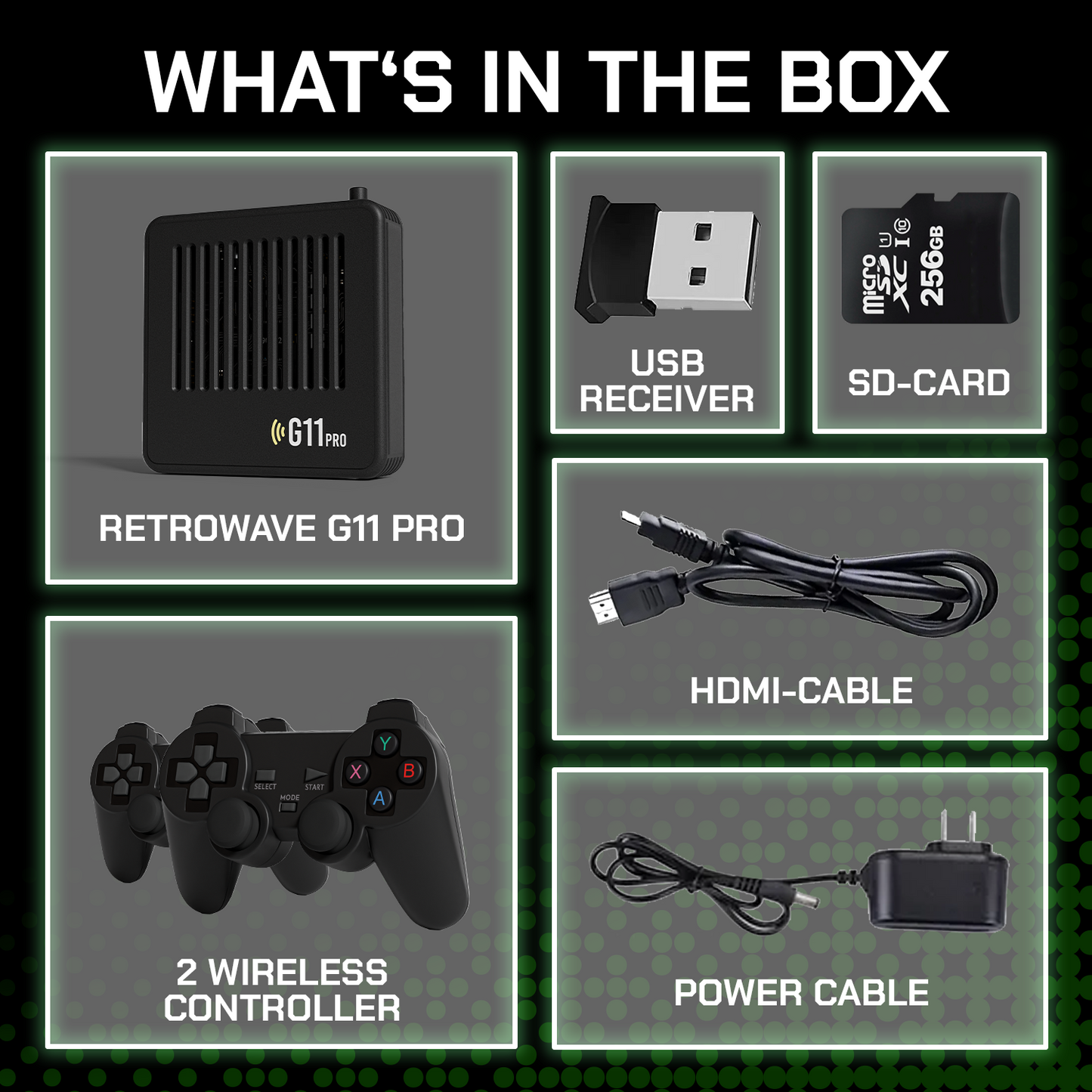
With two wireless controllers, your living room turns into a retro gaming arena. Host unforgettable Mario Kart nights with your friends or show your kids the games that shaped your childhood. Discover the full variety of multiplayer gaming together and create new memories that make hearts beat faster.
All of this, of course, with zero input lag and no connection issues!


How do I use the G11 Pro?
Simply plug it in and start playing. No annoying downloads, no cable mess, just pure retro action!
Plug the Retrowave G11 Pro into your TV’s HDMI port.
Select the correct HDMI input on your TV.
Sit back and enjoy over 100,000 retro games.

Plug it in
Plug the Retrowave G11 Pro into your TV’s HDMI port.

Select HDMI
Choose the correct HDMI input on your TV.

Enjoy
Sit back and enjoy over 100,000 retro games!

FAQ
Which games are included?
Click here to see a list of all consoles and games included on the Retrowave G11 Pro.
Can I save my game progress?
Of course! You can save your current progress in any game.
Additionally, there is an autosave function that automatically saves your progress when you exit the game.
Are the games in English?
Yes, the games on the console are available in five different languages, including English.
Can I connect my own modern controller?
Yes, you can easily connect modern controllers to the Retrowave G11 Pro via Bluetooth or cable.
After connecting, you just need to map the buttons once. Don’t worry – a step-by-step guide will walk you through the process.
How do I connect the controllers to the Retrowave G11 Pro?
The controllers are already paired via USB receiver with the Retrowave G11 Pro.
Just insert the batteries, switch on the controller, and you’re ready to go.
On which devices can I use the Retrowave G11 Pro?
The console works with any device that has an HDMI input.
How long do I have to wait for my order?
All orders are processed within 2–3 business days.
We do not ship or deliver on weekends or holidays.
Delivery usually takes between 4 and 10 days.
Will I receive a tracking code?
As soon as your order has been shipped, you will receive an email with your tracking code.
How much are the shipping costs?
We offer free EU shipping on all orders.
Which payment methods are available?
We accept all common payment methods.